A web page, read into Markdown
yomi fetches a page, renders the JavaScript only when the page needs it, strips the nav, cookie banners, footers, and share rails, and converts what is left to clean GitHub-Flavored Markdown with a YAML front-matter header. Point it at one URL or a whole site, to a folder of files or a single combined document.
Copying an article into a Markdown file by hand means fighting the page: the nav bar, the cookie banner, the newsletter box, the share rail, and the half-rendered shell of a JavaScript app that shows nothing until a script runs. yomi (読み, "reading") does that work for you. It fetches the page, renders it in a real browser only when the page actually needs one, keeps the article and drops the furniture, and hands you Markdown you can store in a repo, diff in a pull request, search offline, or feed to whatever comes next.
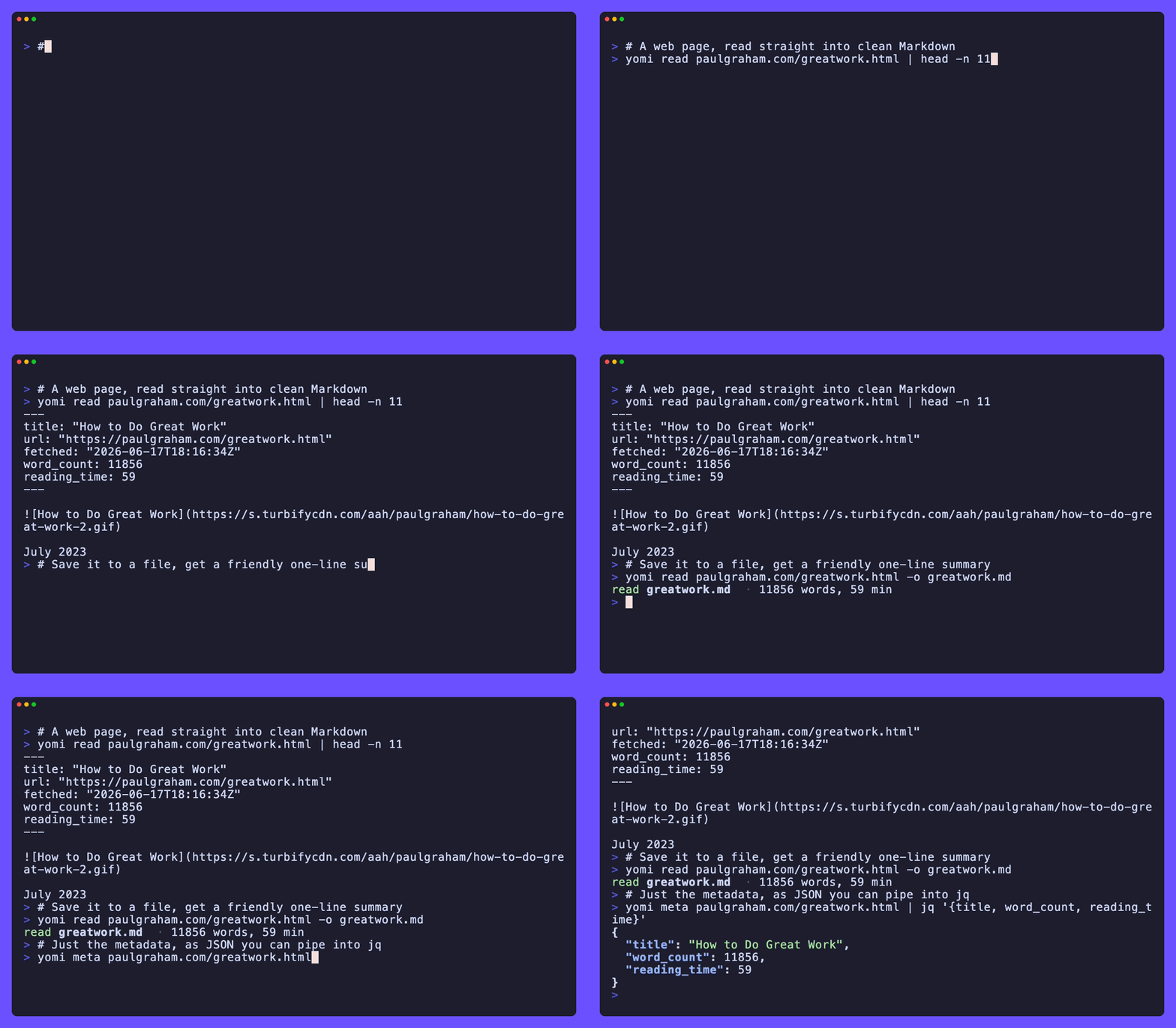
Say you want Paul Graham's essays as Markdown you can read in an editor. One command reads one essay; another reads the whole site into a folder. A bare host is fine, yomi fills in https:// for you:
yomi read paulgraham.com/greatwork.html -o greatwork.md
yomi site paulgraham.com -o pg/
What it does
- Renders only when it has to. A static page is fetched with a plain HTTP request. yomi escalates to headless Chrome only when the page looks JavaScript-gated, so most reads never launch a browser.
- Keeps the article, drops the furniture. Readability extraction removes the nav, cookie banners, footers, and share rails, leaving the main content.
- Writes clean Markdown. What survives extraction is converted to GitHub-Flavored Markdown, with a YAML front-matter block carrying the title, byline, dates, language, and word count.
- Reads a whole site.
yomi sitecrawls in scope and writes a folder of.mdfiles mirroring the URL paths, with aSUMMARY.mdtable of contents and a sharedmedia/folder. - Collapses a site into one file.
--singleassembles every page into one Markdown document with a table of contents, per-page sections, and in-file anchors. - Packs a site into one file.
yomi packbundles a whole crawl into a single SQLite database you can query, a single ZIM archive you can read offline in Kiwix, or a single EPUB book for an e-reader, with a resumable, incremental crawl.
yomi is a sibling to kage. kage mirrors a site as a browsable offline HTML copy and keeps its shape; yomi keeps the reading as Markdown. They share the same headless-browser engine, scope model, and robots handling. yomi is the one that both renders JavaScript and emits Markdown, and the only one that can collapse a whole site into a single file.
Where to go next
- New here? Start with the introduction, then the quick start.
- Want to install it? See installation.
- Looking for a specific task? The guides cover reading a page, crawling a site, packing a site into one file, choosing between a folder and a single file, and handling images.
- Need every flag? The CLI reference is the full surface.